Dark Mode Switch - Helps to choose a Complimentary Color
There are two basic color models that art and design students need to learn in order to have an expert command over color, whether doing print publications in graphic design or combining pigment for printing. These two color models are:
- Light Color Primaries (Red, Green, Blue)
- Additive (Light), as used in TV's and Monitor's. - Pigment Color Primaries (Cyan, Magenta, Yellow)
- subtractive, when mixing paint or using a color printer,
- (commonly simplified as red, yellow, and blue). - Mixing paints: RYB model (Red, Yellow, Blue) the most common color wheel
When the colors are inverted, you can see they are: Magenta, Yellow, Cyan.
- Now I know why those 3D Glasses are Red & Cyan . - They are opposites or complimentary colors.
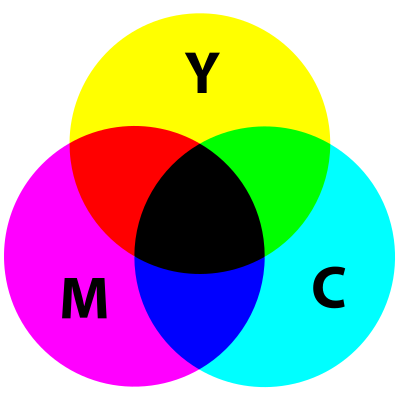
Subtractive Color Model
(pigment, CMYK)
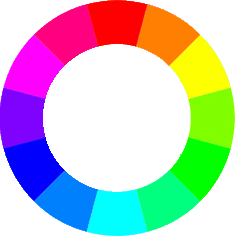
The above image on the left is RGB (Red Green Blue) the three primary colors of light from which all other gradients come from such as a rainbow in the sky.
Pigments are chemicals that absorb selective wavelengths—they prevent certain wavelengths of light from being transmitted or reflected. Because paints contain pigments,
when white light (which is composed of red, green, and blue light) shines on colored paint, only some of the wavelengths of light are reflected.
For example, cyan paint absorbs red light but reflects blue and green light; yellow paint absorbs blue light but reflects red and green light. If cyan paint is mixed with yellow paint, you see green paint
because both red and blue light are absorbed and only green light is reflected. -
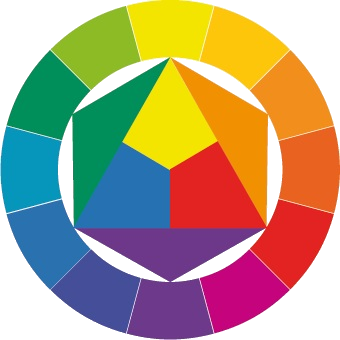
Now the above image on the right are the three primary secondary colors for painting (Red Yellow Blue) in which all other gradients come from (plus white and black which is a tint or a shade of the color).
When you click on the BIG round button in the middle of the this page, the "Subtractive Color Model (pigment, CMYK)" above, in the top right labeled CMY
becomes the Additive
LIGHT Color Model (RGB). Notice that the combination of RGB makes white light in the middle.